Your customers and technicians are on Teams. Now your support is too.
With FIXEE, every resolution in Teams speeds up the next one.
In brief
Your customers talk to you in Teams throughout a machine’s project and commissioning. Your technicians use it to help each other solve problems on site. How do you make these exchanges useful to after-sales, to quality, and to the next colleagues who will face the same issue?
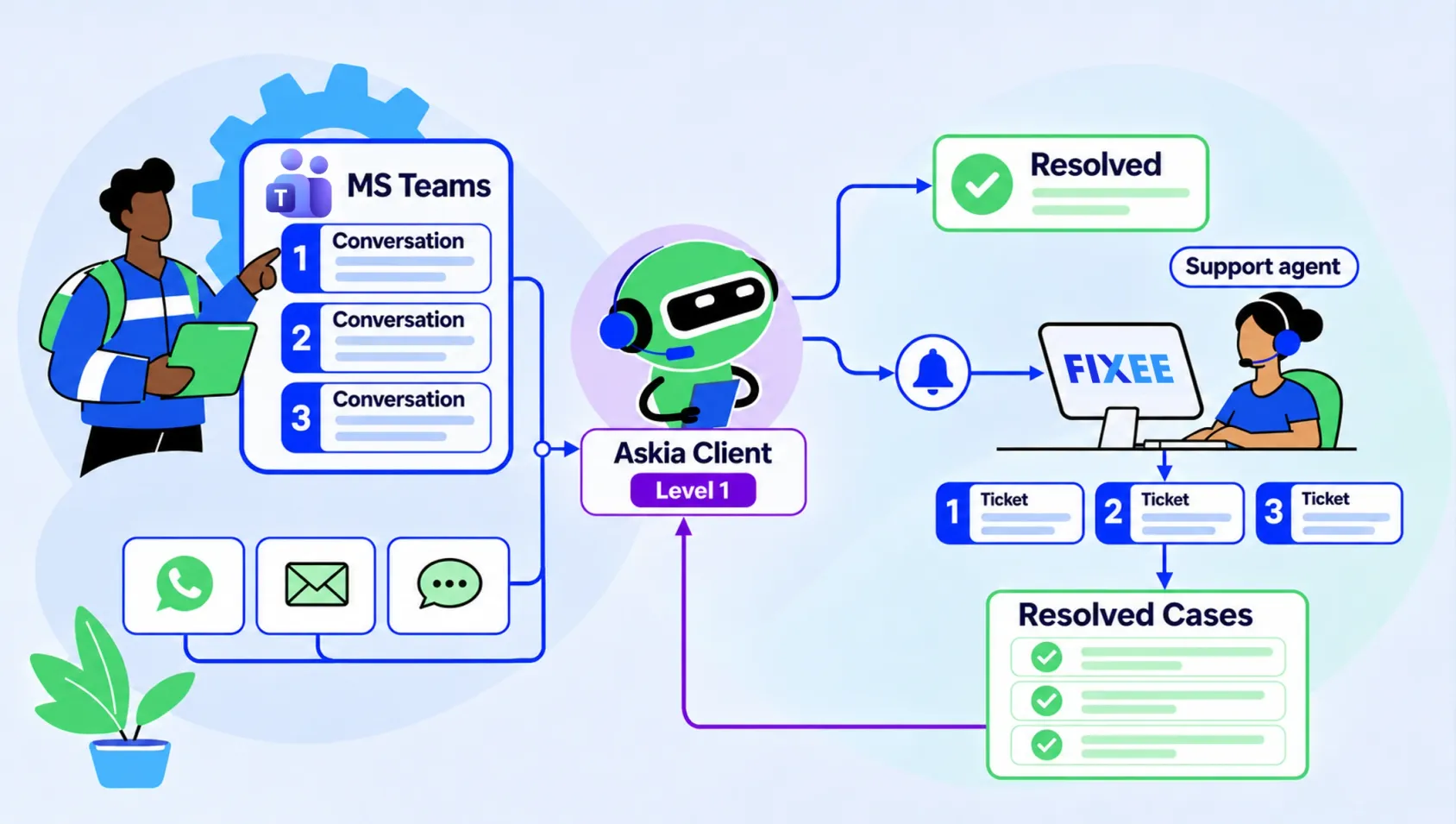
The Microsoft Teams entry point connects your requesters’ conversations to FIXEE ticketing. Your customers and technicians use Teams; your support team follows requests from FIXEE. Each topic gets its own ticket and its own dedicated conversation. When enabled, Askia Client qualifies the request and handles already-known cases before handing over to a Hotliner if needed.
What our customers tell us
Needs arise at several points in the life of the equipment:
- Retrieving the project exchanges when after-sales takes over the file after commissioning.
- Reconstructing what was requested, explained or decided when a dispute arises after delivery.
- Reusing answers shared between technicians, without calling on the same expert again.
- Giving customers who already work in Teams access to support there.
The machine is delivered. The context has to follow.
For several months, the manufacturer and its customer discussed the project: technical choices, adjustments, difficulties encountered, tests, commissioning. Part of this story was written in Teams.
Then the commissioning engineer moves on to another project. After-sales takes over. A breakdown occurs, or the customer disputes a point after delivery.
The information then has to be found, its context understood, and the people who can explain it identified. When a key employee is absent or has left the company, this search becomes harder.
The same problem shows up in field peer support. A technician asks a question in a group. A colleague answers between two appointments. The solution works, but it stays buried in the thread. A few weeks later, someone asks the question again.
When information stays in conversations, teams pay the price
- A laborious handover: after-sales has to rebuild the context before starting its diagnosis.
- Files that are hard to investigate: quality searches for the relevant exchanges to understand a dispute.
- Interrupted experts: colleagues call on the same people to find answers that have already been given.
- Repeated resolutions: a solution known to one technician does not necessarily benefit the others.
- Scattered access to support: after working in Teams throughout the project, the customer has to find an email address, a phone number or their usual contact for after-sales.
Microsoft Teams becomes an entry point to your customer support
The Teams entry point gives your customers and technicians a support contact they find in their everyday tool.
You can share it on your website, in an email signature, via QR code or in your documents: user manual, invoice, commissioning file.
If you don’t know which channel your customer prefers, the unified FIXEE entry point lets the requester choose between Teams, WhatsApp, email and web chat.
Once the contact is established in Teams, it remains visible, with your logo, in the requester’s Teams conversations.
Conversations in Teams, tickets in FIXEE
The requester writes in the conversation with support. Their message opens a ticket in FIXEE and a Teams group conversation dedicated to that request.
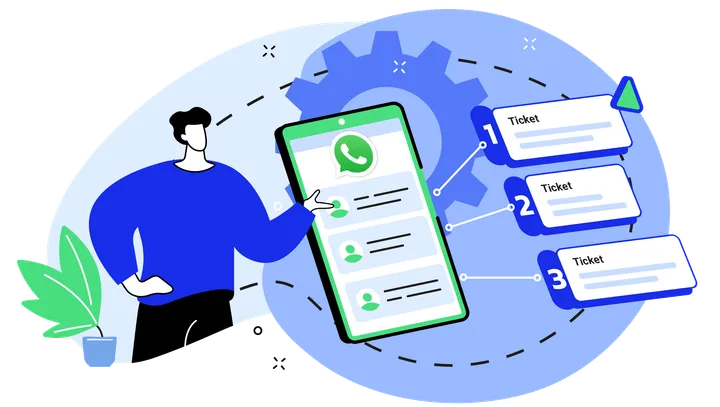
They then continue the exchange in that group. For another problem, they go back to the support contact and open a new request. As with exchanges organized into multiple tickets on WhatsApp, each topic keeps its own follow-up.
The Hotliner, for their part, replies from FIXEE. They use the same interface for requests coming from Teams, WhatsApp, email and web chat.
Teams, WhatsApp, email and web chat in a single follow-up
The requester can add other people to the group conversation, up to ten requesters.
Participants can also use different channels: a requester on Teams can exchange with another on WhatsApp within the same ticket. FIXEE links their exchanges and keeps the file centralized for the support team.
Know-how reusable by after-sales and field technicians
The content exchanged in the ticket conversation is found in FIXEE. The file keeps its context for the colleagues who take over.
Resolutions provided by Hotliners can feed the Resolved Cases Base. Teams find this knowledge through Askia Hotliner. After human validation, the cards also become sources for Askia Client.
When enabled, Askia Client can welcome and qualify a request in Teams, answer documented questions and hand over to a Hotliner when needed. An answer provided by a technician can thus be used again, even when that colleague is busy elsewhere.
Results
- Structured customer service: requesters have a point of contact in Teams and each request keeps its own follow-up in FIXEE.
- Continuity between teams: after-sales and quality find the information exchanged in tickets to take over or investigate a file.
- Less dependence on experts: answers from peer support become accessible beyond the people who provided them.
- More capacity with the same team: with Askia Client enabled, already-documented questions can be handled without systematically calling on an expert.
“In industry and industrial services, Teams is used for machine projects as well as field peer support. But these exchanges remain hard to use when handing over to after-sales, investigating a dispute or answering without calling on an expert. With Teams as a FIXEE entry point, every conversation is capitalized and the know-how stays accessible to the teams.”
Key features
- Teams support contact: a contact accessible in Microsoft Teams, shareable by link, QR code or in your documents.
- Ticketing: a ticket and a dedicated group conversation for each new request.
- A single interface for the Hotliner: replies sent from FIXEE and received in Teams.
- Group conversations: up to ten requesters in the same conversation.
- Multichannel: exchanges between requesters on Teams and WhatsApp within the same ticket.
- Askia Client: the same qualification and response journey as on the other channels, when enabled.
- Resolved Cases Base: capitalization of resolutions provided by Hotliners; reuse of validated cases by Askia Client, without creating duplicates for requests it resolves from existing knowledge.
Availability
- General availability: the Teams entry point is available to all FIXEE customers.
- Setup: FIXEE is a Microsoft partner application. A procedure is provided to your IT department to authorize FIXEE in Azure and grant it access rights to Teams.
FAQ: customer support in Teams
How do I open a support request in Teams?
The requester finds the support contact from a button, a link, a QR code or the manufacturer’s documents. The unified entry point also lets them choose their channel. Once the contact is added in Teams, they can find it directly for their next requests.
What is the difference between the support conversation and a ticket conversation?
Each message sent in the conversation with support opens a new FIXEE ticket and a dedicated Teams group conversation. To continue an existing request, the requester replies in the corresponding group conversation. Conversations are in Teams; tickets are tracked in FIXEE.
Does the Hotliner have to work in Teams?
No. The Hotliner follows and handles requests from FIXEE. The requester receives the replies in Teams. The support team thus keeps its single working interface.
Can a requester on Teams exchange with a requester on WhatsApp?
Yes. Participants in the same ticket can use Teams or WhatsApp and exchange with each other. Support finds the follow-up in FIXEE.
Can an existing Teams conversation be retrieved or connected?
No. The entry point does not import historical conversations and does not connect an existing conversation to trace its future messages. Follow-up covers new conversations created via FIXEE. To prepare the handover to after-sales or capitalize on field peer support, these conversations should therefore be built into work habits from the start.
How many requesters can take part?
A requester can add other requesters to the group conversation. FIXEE currently accepts up to ten requesters per group.
Does Askia Client step in before the Hotliner?
Yes, when enabled. Askia Client follows the same journey as on the other channels: qualifying the request, answering from the available knowledge and handing over to the Hotliner if needed.
How do I enable the Teams entry point?
The feature is available to all FIXEE customers. FIXEE is a Microsoft partner application. A procedure is provided to IT to authorize the application in Azure and grant it access rights to Teams.
About the author
FIXEE