FIXEE for technical after-sales service: a European alternative to Zendesk
For an equipment manufacturer or distributor, choosing a customer support tool becomes critical as soon as you aim to stand out and grow through customer service. Should you choose Zendesk, or an alternative designed for technical after-sales service?
Zendesk
A general-purpose, highly customizable platform
Zendesk is one of the market leaders. This US-based platform promotes customer experience best practices across every industry. Very comprehensive, it offers fine-grained configuration and a wide range of integrations on its marketplace.
For industrial after-sales service, this means carefully studying the configuration that fits your business process. You also need to budget for individual Zendesk licenses, the third-party apps you need, and configuration and integration services.
FIXEE
A European platform, designed for industrial after-sales service
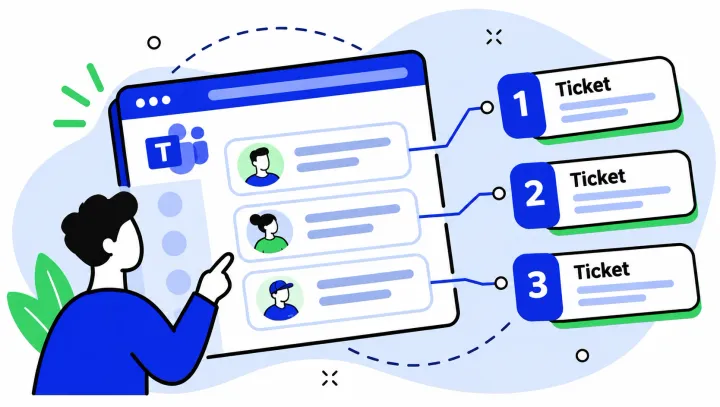
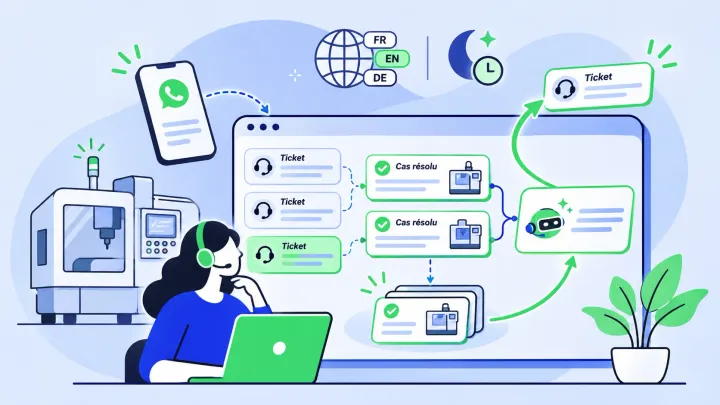
FIXEE is a European platform designed specifically for customer support in industrial after-sales service. It natively includes WhatsApp and Teams entry points, video assistance and automatic capitalization of resolved cases. Two AI agents are also built in: one handles level 1, the other helps hotliners find solutions.
Implementation is light and the number of users is unlimited, within a controlled flat-rate budget.
- Native WhatsApp and Teams
- Video assistance
- 2 AI agents
- Unlimited users
Simulation: 200-employee manufacturer, 2,000 tickets a year
- Annual software budget for FIXEE ENGINE, unlimited users
- €11,760 excl. VAT
- Lower software budget per year vs Zendesk with Copilot and video
- up to −€29,640
- Lower software budget over three years, as the business grows
- −€43,380
Customer support for equipment means being able to qualify a request, diagnose the problem remotely, bring in the right skills and reuse knowledge. The choice between FIXEE and Zendesk depends on the complete business workflow, the cost of use, the implementation effort and the work left to do so that each resolution speeds up the next.
In this article, we compare the two platforms against the needs of industrial after-sales service. We simulate the software budget of a 200-employee equipment manufacturer to anticipate its budget trajectory.
The tools needed for customer support in industrial after-sales service
Customer support in industrial after-sales service is not the same job as customer assistance in banking, e-commerce or logistics. The business process is very different, and so are the skills and tools involved. The workflow must work just as well for a customer, an installer abroad or a fellow technician on site:
- Receive and centralize requests by phone, email, WhatsApp, Teams and web chat in an automated after-sales ticketing tool, with their photos and documents.
- Qualify requests and answer known cases automatically with AI.
- Escalate and route notifications to the right people based on skills or time zones.
- Communicate in the requester’s language.
- Quickly find the equipment and its history.
- Diagnose and resolve remotely with interactive video assistance; if needed, take remote control of the equipment (for machines running an operating system).
- Collaborate effectively with other teams: engineering, field technicians, quality engineers, sales, reception, etc.
- Automatically document and capitalize the diagnosis and the resolution.
- Let requesters find their tickets and documents in a dedicated space.
- Manage the activity with real-time indicators.
- Included, unlimited
- Included, set volume
- Integration or extra cost
- Not included
| Feature | FIXEEENGINE | ZendeskSuite Professional |
|---|---|---|
| Automated ticketing, centralization and traceability | Included, unlimited | Included, unlimited |
| Email and web chat | Included, unlimited | Included, unlimited |
| Included, unlimited | Integration or extra cost | |
| Microsoft Teams | Included, unlimited | Included, unlimited |
| Built-in telephony | Not included | Integration or extra cost |
| Interactive video assistance | Included, set volume | Integration or extra cost |
| Remote control | Not included | Integration or extra cost |
| AI to qualify requests and handle level 1 | Included, set volume | Included, set volume |
| AI to help hotliners find a solution | Included, set volume | Integration or extra cost |
| Translation of exchanges | Included, unlimited | Included, unlimited |
| Routing, escalation and notifications | Included, unlimited | Included, unlimited |
| Equipment register and related history | Included, unlimited | Included, set volume |
| Access for internal staff (technicians, engineering, quality…) | Included, unlimited | Included, set volume |
| Capitalization of resolved cases | Included, set volume | Included, set volume |
| Requester portal and case tracking | Included, unlimited | Included, unlimited |
| Dashboards and activity management | Included, unlimited | Included, unlimited |
Compare the cost of use and the implementation effort for this complete workflow.
FIXEE brings almost all of these uses together in a single business tool. Zendesk offers all the features for this industrial after-sales workflow, but not within its entry-level plans. Some features are only available through paid partner integrations. Check carefully which features are included in Zendesk’s base plans to avoid extra costs, especially for AI agents, interactive video assistance and remote control.
When a resolved case does not help the next one
You are an equipment manufacturer or distributor. A customer sends you a photo of an HMI on WhatsApp, an error code and three words: “won’t reset”. You look up which machine it is, then ask the colleague who knows that series whether the fault rings a bell.
The requester could also be an installer abroad or your own technician standing in front of the machine. The problem remains the same: finding the right information, understanding what has already been tried and bringing in the right expertise.
Two situations then prevent after-sales service from benefiting from its past experience. Historical tickets are almost empty, because nobody had time to record the diagnosis. Or they contain every exchange, but you have to reread a long thread to find the cause and the solution.
Either way, tickets are closed without the next person knowing what to do with them. The technical expert is called on again. A technician repeats the same checks. A site visit may be scheduled when a remote diagnosis would have been enough.
The issue therefore goes beyond filing requests into tickets. It concerns the requester’s experience, the experts’ time, continuity during absences and the ability to handle the next case without starting from scratch.
Turning every resolution into useful knowledge
A documentation base is essential, but technical manuals do not contain all of the after-sales experience. They explain the theory, but not what actually worked in the field for a given configuration, nor which checks ruled out a false lead.
With FIXEE, you can load documentation by equipment, then field knowledge builds up as tickets are resolved in the Resolved Cases Base. The aim is to minimize the cost of building and maintaining the base, without asking experts to write an article after every repair.
The customer service workflow links assistance and capitalization:
- At the start, your manuals and procedures give the AI a first body of usable material.
- During the ticket, exchanges centralize the equipment context and the elements of the diagnosis. Video assistance can help see the problem and guide the requester.
- At closure, the AI analyzes the ticket content to feed Resolved Case cards: problem, identified causes and resolution.
- Before the AI reuses them with customers, candidate knowledge items remain available internally through Askia Hotliner. Their human validation opens them up for use by Askia Client.
The base thus grows with the department’s activity. The team keeps the essential role: solving unknown or complex cases, checking knowledge, and putting people where it matters. Each resolution speeds up the next.
The Asset register provides the context of the equipment and its history. It supports this knowledge loop, just like the exchanges and the technical documents.
Zendesk also offers content generation from tickets and the detection of gaps or useful updates. Compare the amount of work needed to build the initial knowledge base, as well as the ongoing effort to feed and maintain it.
The effort required to implement your after-sales software
FIXEE offers an integrated after-sales process so you can start with a light project. We configure the channels with you, we can import your equipment base on request, and then you load the documentation. Interactive video assistance, AI agents, translations and Resolved Cases are already built into the after-sales ticketing. Implementation and onboarding are included; customizing the behavior of the Askia Client AI agent, migrating historical data and specific connectors are additional services, depending on the plan.
Zendesk lets you build a highly customized process. You can adapt steps, data, rules and interfaces. For the workflow studied here, you also need to connect the various entry points and the video tool, and configure the equipment context. This customization requires configuration, testing and maintenance work to be included in the project.
Check all the tasks to be carried out and the services needed to get the complete after-sales workflow. The subscription budget generally does not include this effort.
Four cost indicators for industrial ticketing
Technical support involves several steps and several professions. To compare costs, let us keep the same uses and the same volumes for each platform, and vary the rights required and the results obtained. Take the example of a 200-employee manufacturer with an inflow of 2,000 tickets a year.
For the calculations that follow, we use the annual software budget, including AI agents and video assistance. We relate it in turn to users, requests to qualify, resolutions and knowledge created. Team working time, deployment, the initial documentation investment and any volume-based channel fees, notably WhatsApp in Zendesk depending on the plan, are not costed and must be added to the budget.
Cost per user
Each ticket can include hundreds of messages, contributions and interventions (voice notes, documents, images, video, etc.). In total, including the 3 hotliners, fifty internal people need access to the industrial after-sales ticketing at one point or another in the business process:
| Team | Assumed headcount | Main use |
|---|---|---|
| Hotliners | 3 | Take charge of and resolve requests |
| Field technicians | 20 | Ask for help, contribute to tickets and take over from hotliners |
| Engineering | 10 | Contribute technical expertise to tickets |
| Quality | 3 | Analyze incidents and follow up actions |
| Sales | 10 | Follow their customers’ cases |
| Managers | 4 | View and manage the activity |
| Total | 50 | Excluding external requesters |
Not everyone needs the same rights. We assume 10 to 20 full agents at Zendesk, depending on who must take charge of cases and reply directly to requesters. The others are light agents who view or contribute internally. The Professional plan includes up to 100 of them; these roles do not replace a full agent.
At FIXEE, internal and external users are unlimited in the subscription.
For the budget simulation, the FIXEE reference is ENGINE, at €980 excl. VAT per month. On the Zendesk side, the reference is Suite Professional with Copilot, to cover the channels studied and AI assistance for agents: €115 excl. VAT per agent per month, plus €50 for Copilot. Copilot is billed on all agent seats once subscribed. These public prices, paid annually, were checked on 16 November 2026 and apply throughout the simulation. On 10 November 2026, Zendesk announced Zendesk Unlimited: unlimited seats for its new features and outcome-based pricing. Its prices, minimums and availability have not been published to date, so our simulation is based on the public per-agent price list.
Zendesk’s Suite Professional plan does not include video assistance: it has to be added by integrating a third-party app from the marketplace. Two examples give benchmarks for video: Apizee is listed from €50/month on Capterra; SightCall is listed from $3,000 per company per month on Salesforce AgentExchange. These offers cover different scopes. For the simulation, we base ourselves on Apizee’s offer and add a video assistance budget of €150 per month for the three hotliners, i.e. €1,800 a year. Telephony remains outside the costed scope.
| Zendesk full agents | 10 agents | 15 agents | 20 agents |
|---|---|---|---|
| FIXEE ENGINE | €11,760 | €11,760 | €11,760 |
| Zendesk Professional | €21,600 | €31,500 | €41,400 |
| FIXEE vs Zendesk | −€9,840 | −€19,740 | −€29,640 |
Scope compared: FIXEE ENGINE with Askia and video assistance included, and unlimited users. Zendesk Suite Professional with Copilot and third-party video at extra cost.
Across the 50 internal users, the average monthly software budget comes to €19.60 with FIXEE, compared with €36, €52.50 or €69 with Zendesk, depending on the number of full agents. To get these amounts, the annual budget is divided by 50 users and by 12 months.
The stakes for the manufacturer are concrete: can it bring in engineering, a technician and two stand-ins during the holidays without revisiting its access rights and its budget? What is its budget trajectory as it grows?
Cost per AI qualification
Qualifying a technical request means gathering what is needed to act effectively and quickly: who is asking for assistance, for which equipment, with which symptom, which checks have already been made and how urgent it is. A ticket number or a category is not enough.
Askia Client qualifies requests and passes the context on to the teams. To compare the two solutions, we let the AI qualify the 2,000 new requests a year, i.e. 100% of the inflow. The workflow starts with the first message from the customer, partner or technician, on the channels they use.
We divide the annual software budget by the 2,000 new requests handled by the AI. The table thus shows the budget per request to qualify.
The FIXEE ENGINE subscription includes 6,000 requests handled by Askia Client. This included volume makes it possible to absorb more requests without changing plans: the average software budget per request to qualify drops from €5.88 for 2,000 requests to €1.96 for 6,000 requests a year. At Zendesk, collecting information and then handing over to a human does not consume an automated resolution, so no AI resolution surcharge is added for this collection alone.
| Zendesk full agents | 10 agents | 15 agents | 20 agents |
|---|---|---|---|
| FIXEE ENGINE | €5.88 | ||
| Zendesk | €10.80 | €15.75 | €20.70 |
Scope compared: FIXEE ENGINE with Askia and video assistance included, and unlimited users. Zendesk Suite Professional with Copilot and third-party video at extra cost.
Cost per AI resolution
An AI resolution here means a problem solved without the hotliner stepping in. Let us simulate a resolution rate of 10% to 50% of the 2,000 requests on both tools. We thus use two extreme scenarios: the low scenario for a special machinery business; the high scenario for a business with larger-series equipment. From what we see in the field, resolution rates tend to fall between 15% and 40%.
FIXEE: the 2,000 requests stay within the ENGINE volume, whether they end in an autonomous resolution or a handover to the team.
Zendesk: ten Professional agents entitle you to 1,200 resolutions a year in the public price list, above the 1,000 of the high scenario. We therefore add no AI resolution surcharge in this simulation.
| Share resolved by AI | Resolutions per year | FIXEE | Zendesk |
|---|---|---|---|
| 10% | 200 | €58.80 | €108 to €207 |
| 20% | 400 | €29.40 | €54 to €103.50 |
| 30% | 600 | €19.60 | €36 to €69 |
| 50% | 1,000 | €11.76 | €21.60 to €41.40 |
Scope compared: FIXEE ENGINE with Askia and video assistance included, and unlimited users. Zendesk Suite Professional with Copilot and third-party video at extra cost. The annual budget is divided by the number of AI resolutions on each line. The Zendesk range corresponds to 10 to 20 full agents.
The full cost also includes the initial investment to make knowledge usable, spread over its useful life, and then its upkeep. We do not cost it here, but it can be significant. FIXEE makes it easy to load documentation by equipment and then enrich the base over time with Resolved Cases, to limit this building and maintenance work.
Cost per knowledge item generated
Counting closed tickets does not tell you how many new knowledge items were created. Several tickets can enrich the same knowledge card; a card produced may be incomplete, redundant or need correcting.
The useful unit is a new, validated and reusable knowledge item. Let us compare the annual software budget for the same volume of knowledge in both solutions.
| Validated knowledge items per year | FIXEE | Zendesk |
|---|---|---|
| 100 | €117.60 | €216 to €414 |
| 200 | €58.80 | €108 to €207 |
| 400 | €29.40 | €54 to €103.50 |
Scope compared: FIXEE ENGINE with Askia and video assistance included, and unlimited users. Zendesk Suite Professional with Copilot and third-party video at extra cost. The annual budget is divided by the number of validated knowledge items. The Zendesk range corresponds to 10 to 20 full agents.
Capitalization work comes on top of the software budget. To gauge its weight, let us take a simple assumption: at a loaded cost of €60/h, 10 minutes of work represent €10 per knowledge item, i.e. €2,000 for 200 items. This benchmark helps estimate the effort of extraction, correction, validation and publication; no productivity difference between the tools is assumed.
The break-even point and the three-year trajectory
The four previous readings fix the number of full agents and the volume of requests. Two questions remain open: from how many full agents does Zendesk exceed the FIXEE budget, and how does this budget change as the business grows?
| Zendesk full agents | 6 agents | 8 agents | 10 agents |
|---|---|---|---|
| FIXEE ENGINE | €11,760 | €11,760 | €11,760 |
| Zendesk Professional | €13,680 | €17,640 | €21,600 |
Scope compared: FIXEE ENGINE with Askia and video assistance included, and unlimited users. Zendesk Suite Professional with Copilot and third-party video at extra cost.
For a smaller team, FIXEE offers two more targeted plans, depending on the goal. To capitalize knowledge, KNOWLEDGE starts at €490 excl. VAT per month, i.e. €5,880 a year, Resolved Cases included. To absorb a large inflow, VOLUME starts at €550 excl. VAT per month, i.e. €6,600 a year, with 2,400 requests handled by Askia Client; capitalization is only included in the first year.
Now let us take a business that grows over three years: 2,000, then 3,000, then 4,000 requests a year, with 10, then 12, then 15 full agents at Zendesk.
| Budget excl. VAT | Year 1 | Year 2 | Year 3 | 3-year total |
|---|---|---|---|---|
| FIXEE ENGINE | €11,760 | €11,760 | €11,760 | €35,280 |
| Zendesk Professional | €21,600 | €25,560 | €31,500 | €78,660 |
| FIXEE vs Zendesk | −€9,840 | −€13,800 | −€19,740 | −€43,380 |
Scope compared: FIXEE ENGINE with Askia and video assistance included, and unlimited users. Zendesk Suite Professional with Copilot and third-party video at extra cost.
Assisting remotely and keeping the diagnosis
Knowledge also depends on what is captured during assistance. If the diagnosis happens in another tool and then stays in the technician’s head, the loop is incomplete.
FIXEE video assistance lets you see the situation on site, annotate and take photos. The case elements and the reports then contribute to its traceability. The phone remains useful for emergencies; the call can be logged with a quick voice memo in FIXEE’s private chat (FIXEE does not currently include telephony).
| Functional criterion | FIXEE | Zendesk |
|---|---|---|
| Visual diagnosis | Video assistance built into the workflow | Apizee integration: video, photos and annotations from the ticket |
| Equipment context | Asset register | Modeling possible with custom objects, depending on the plan |
| Capitalization | Resolved Case cards and validation before customer use | Article generation and knowledge management tools, depending on the plan |
| Built-in telephony | Not available today | Included in Suite; number and calls at extra cost |
For technical video, Apizee lets you start a session from a Zendesk ticket, take photos and keep these elements in the case. Modeling equipment and its relationships with tickets relies on custom objects, depending on the plan; this setup is part of the implementation effort.
“Developing an industrial customer service offer requires professionalizing the customer journey and rare skills. The tool brings legitimacy to showcase the service, a smooth and reassuring customer journey, and makes the best use of hotliners’ time so they can focus effectively on what is critical. Otherwise, customers panic, teams burn out, and knowledge evaporates.”
Moving from Zendesk to FIXEE
Migrating from Zendesk to FIXEE is entirely possible. For example, we supported an industrial equipment distributor that handles more than 6,000 tickets a year.
The switch follows the implementation process. We configure the entry points with you: email, WhatsApp, Teams and web chat. We import your equipment base on request, then you load the documentation. Migrating the Zendesk history is scoped according to the available exports; it is an additional service, depending on the plan.
FIXEE or Zendesk for your industrial after-sales service: start from your business goals
For a distributor, the volume of recurring questions may become the priority. The same loop then makes known answers available to customers and the network. For a special machinery manufacturer, the value may first lie in the availability of rare expertise. The weight of each criterion depends on the actual need.
In short
For an equipment manufacturer or distributor that wants to develop its customer service, FIXEE provides integrated business tools, a light implementation and a flat rate that does not depend on the number of users.
The whole after-sales workflow, natively
FIXEE natively brings together email, WhatsApp, MS Teams and web chat entry points, video assistance, two AI agents and automatic capitalization. You start with a light project and involve technicians, engineering, quality or sales without adding a license for each of them.
Annual software budget for a 200-employee manufacturer
- FIXEE
- €11,760 excl. VAT
- Zendesk, Copilot and third-party video
- €21,600 to €41,400
- Additional AI qualification or resolution
- €0up to 6,000 a year
That is €9,840 to €29,640 less in software budget per year.
Zendesk remains an option worth considering if built-in telephony or deep process customization are priorities for your organization. You then need to cost the licenses, the additional apps and the configuration work for your after-sales service.
FAQ: FIXEE, a Zendesk alternative for industrial after-sales service
We already have Zendesk: why look at FIXEE?
Because a technical hotline is specific: it draws on rare multidisciplinary skills to diagnose and fix breakdowns. Customers expect to be handled efficiently, smoothly and with visibility on the actions taken. Exchanges include videos and photos, often shared via WhatsApp. Each request must be linked to the equipment concerned, exchanges must be traced whatever the channel used, as must interactive video sessions. Each resolution must be documented as reusable knowledge. With Zendesk, some of these uses go through third-party apps, and setup can be tedious.
What does an AI resolution cost with FIXEE?
With FIXEE, AI is not billed per resolution. Each subscription includes a number of Askia Client assignments to qualify and resolve known cases. Within this limit, each new request qualified or resolved by AI costs nothing extra. To compare with an offer priced per resolution, add its subscription and user licenses.
Does FIXEE replace our phone hotline?
No. FIXEE does not include telephony today. It relieves the line through written channels, the level 1 AI agent and video assistance, which the hotliner starts at their own initiative to see the situation on site. FIXEE therefore complements your telephony system and lets you log calls with a simple voice message in each ticket’s private chat. For a large-scale voice call center, Zendesk covers a broader scope.
Is WhatsApp secure enough for industrial after-sales service?
Yes. FIXEE uses the WhatsApp Business API with a dedicated hotline number, every exchange is traced in the ticket and data is hosted in the European Union. The real risk comes from the WhatsApp exchanges currently happening on individual team members’ phones, outside any control or traceability.
Without an IT department, is the setup heavy?
No. Allow a few days. IT is only needed for the mailbox or the firewall, often one to two hours.
How do we migrate our tickets and data at the start?
Migrating tickets, documents and equipment data must be scoped according to the available exports, their quality and access rights. Define the data worth migrating to get started; do not confuse an imported history with already validated knowledge.
How do we build the knowledge base with FIXEE?
With FIXEE, you can start with documentation by equipment, then enrich the base as Resolved Cases come in. Your experts remain necessary to check and validate knowledge. The goal is to reduce this building and maintenance work.
How do we control the AI’s answers?
Askia Client relies on your content and your rules, and hands the request over to your team as soon as there is any doubt. Candidate Resolved Case cards can be used internally. Only validated cards become sources for Askia Client. This validation considerably reduces the risk of error, without eliminating it entirely: it must be combined with testing and supervision suited to how critical the equipment is.
What if we neither manufacture nor distribute equipment?
FIXEE is designed specifically for customer support on an installed base of equipment: technical documentation, history per machine, interventions. Without this need, a general-purpose support tool such as Zendesk will be a better fit.
Compare on a real after-sales case
Bring a real request: a piece of equipment, a symptom, exchanges and a known resolution. Let us replay the entry points, translation, qualification, video, an expert’s involvement and capitalization. Let us also list the settings and integrations needed to make this workflow operational.
Then let us open a second, similar case. Let us look at what the team finds, what it has to re-enter and how many steps remain. You will be able to judge whether the first resolution really helps the next.